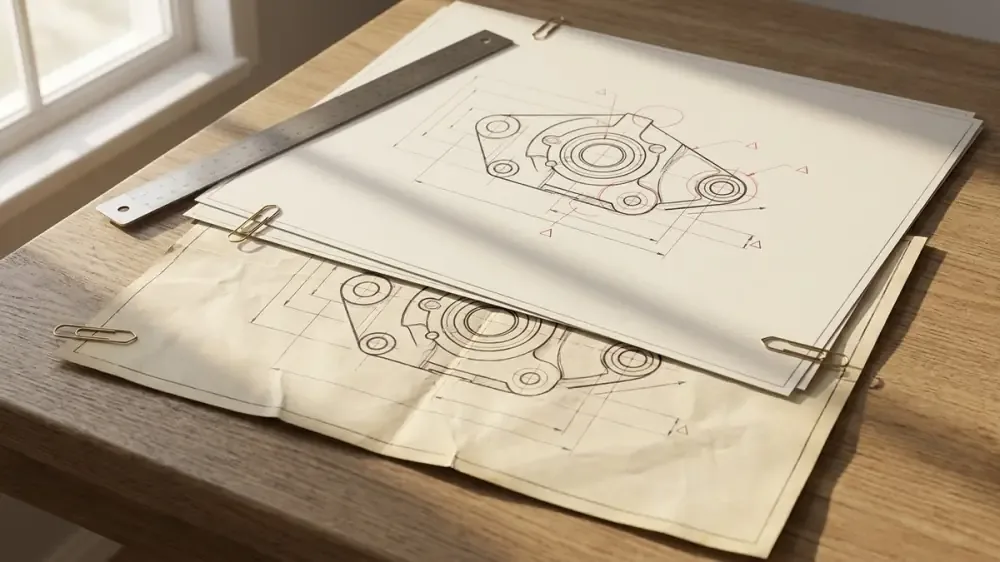
When a drawing revision arrives mid-quote, confirm the scope change, log the delta, assess commercial impact, and decide whether to revise the price or escalate before updating the quote.
How do you
Review a drawing revision by freezing the previous quote basis, confirming the new revision against the transmittal, comparing only the changed drawings first, logging each technical delta, and deciding whether the change is administrative, minor commercial, material scope, or post-award variation. Update the quote only when the revision changes scope, price, lead time, assumptions, exclusions, or customer approval requirements.
The important point is to separate drawing comparison from commercial response. A changed title block may need a register update only. A thicker plate, changed weld note, added NDT requirement, or revised finish may require repricing. A post-award change may need a variation or change order rather than a revised quote.
For the wider RFQ document review process, see how to review RFQ files before quoting. For preserving the commercial baseline after revisions, see quote revisions without losing the original scope.
Drawing revisions need structured
When a drawing revision arrives mid-quote, the natural instinct is to compare the new set to the old set and note the differences. That step is necessary but not sufficient. The estimator also needs to assess which differences affect the commercial position and which are administrative only. Relying on CAD models alone is risky; why STEP files are not enough for a shop quote outlines why volumetric updates ignore critical tolerance callouts.
A structured review prevents two common mistakes: overreacting to a clerical change by repricing without cause, and underreacting to a scope change by updating quantities without adjusting commercial terms. It also makes later customer conversations easier because the team can show exactly what changed, when it changed, and how it affected the price.
Revision impact
Administrative changes include updated title blocks, corrected drawing numbers, formatting changes, or note reordering. These need a log entry but usually no commercial response. The team still records them because they explain why a new drawing issue was reviewed and why no price action followed.
Minor commercial changes affect a single quantity, tolerance, finish specification, or fabrication detail. The estimator updates the affected line, checks whether labour or material moved enough to matter, and notes the change in the revision register. These changes may be captured in a revised quote before award or included in a change note if the customer needs visibility.
Material scope changes add or remove work, change member sizes, alter weld categories, add certification requirements, revise coatings, or change site interfaces. These trigger a re-quote or change order depending on whether the customer has already accepted the offer. If the pricing impact is uncertain, link the change to pricing risk treatment rather than hiding it in the base quote.
Evidence trail
Keep the revision register as a controlled document linked to the estimate. It is the simplest control that prevents scope drift. If revised files also create missing-document or unsupported-format issues, carry those back into the supported file handling and RFQ review workflow rather than treating the drawing delta in isolation.
Decision matrix
Before award, a revised quote is usually enough. After award, the same drawing change often belongs in a variation workflow. Do not let the language drift: revised quote, change order, and variation are not interchangeable in commercial review.
Review process
Start by freezing the previous quote basis. Save the prior issued quote, estimate snapshot, drawing register, assumptions log, and customer clarification history. Then register the new revision set with file names, drawing numbers, issue dates, and source. Do not overwrite the old files; move superseded drawings into a separate controlled location.
Next, verify the 3D model revision history against the 2D drawing title block revision numbers. Mismatches here frequently mask major changes. After aligning the models, compare only the changed drawings. Identify additions, deletions, dimension changes, material changes, notes, finishes, tolerances, weld categories, and referenced documents. Learning how to quote tolerance notes from PDF drawings ensures you catch any updated tolerance expectations.
Finally, decide whether the response is a log-only update, revised quote, option, clarification, or change order. This decision should happen before the estimate is edited, so the team does not quietly absorb scope changes into the working file. For the release-control side of that decision, use quote revisions without losing the original scope.
Examples by fabrication type
Structural steel example: RevC changes end plate thickness from 10 mm to 12 mm and adds two base plates. This affects material, drilling, welding, and possibly coating. The revision register should link the changed drawing to the affected cost lines and produce a revised quote before award.
Sheet metal example: a revision changes bend orientation but not blank size or finish. The estimator checks tooling and handling time. If the bend change affects setup or scrap risk, update labour. If it is only a drawing correction, log it as administrative with no price change.
Subcontract package example: a revised spec adds NDT requirements to welds. This is not a drawing quantity change, but it changes certification and subcontract cost. The estimator should update supplier assumptions and quote wording, not just material quantities.
Quote reissue wording examples
Use precise wording. State what revision was reviewed, what changed, what commercial response was taken, and whether the prior quote is superseded. If assumptions also changed, update the quote assumption log; see how to keep estimating assumptions visible before quote review.
Common mistakes when updating
The first mistake is editing the estimate before freezing the old quote. Once the working file changes, it becomes harder to prove what the prior price included. Always save the previous quote PDF, estimate snapshot, file register, and assumption log before changing quantities.
The second mistake is checking only obvious geometry changes. Drawing revisions often change notes, finishes, certifications, reference documents, and inspection requirements. These may not alter a part count but can still change labour, subcontract, lead time, and risk.
The third mistake is treating every revision as a customer-facing reprice. Some revisions are administrative and only need a log entry. Others require a revised quote, clarification, option, or variation. The response should match the commercial effect, not just the fact that a new drawing arrived.
Sources further reading drawing
The revision-control standard is practical: prove the old basis, prove the new basis, show the delta, then choose the commercial response.
Ways estimators can keep quote review clear:
- When a drawing revision arrives, confirm the revision letter and date against the RFQ transmittal before comparing scope.
- Check member sizes, quantities, notes, finishes, tolerances, certifications, and weld categories for every changed drawing.
- Use a revision register to log what changed, what it affects, and whether a commercial response is needed.
- Before award, issue a revised quote. After award, use a variation or change order through the contract process.