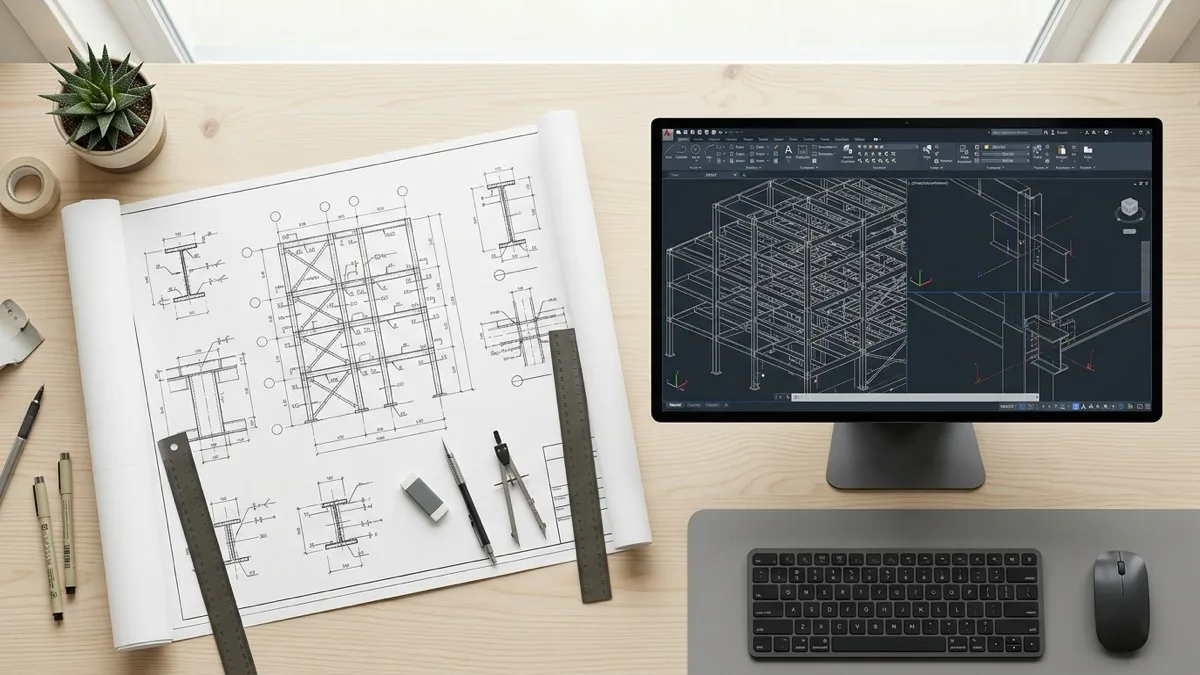
Step by step guide for structural steel estimators preparing tenders under the new NCC 2025 compliance guidelines using local CAD takeoff tools.
Preparing quoting workflows
Look, let's cut through the regulatory noise. As a grizzled steel estimator, I've seen standard updates come and go, but the transition to the new building codes is different. If you are still running your pre-contract quotes using the same old templates, you are leaving your shop exposed. Setting up your estimating workflow for new regulations isn't about ticking boxes on a government sheet; it's about protecting your bottom line. We need to build a quoting system that catches compliance requirements before the contract is signed.
The first step is structuring your quote files to handle the specific requirements of the latest codes. Under the new rules, you cannot just estimate steel by the tonne and guess the welding hours. You have to verify which clauses apply to which members, establish traceability, and price in the cost of certified inspection. If your quoting process doesn't capture these steps upfront, you'll end up paying for them out of your margin when the building inspectors show up on site.
NCC compliance requirements
Let's look at the actual regulatory text. The NCC 2025 structural steel compliance requirements mandate that all structural steelwork must satisfy AS/NZS 5131 guidelines. Specifically, Section B of the code outlines strict performance paths for structural safety and load-bearing capacity. If you are bidding on a commercial building, the project will default to Construction Category 2, which means you need complete documentation for every weld and plate on the job.
What does this mean for the bidding desk? It means your quote must show a clear line of sight from the drawings to the final certified structure. You must check the specified steel grades, verify that the welding details match the appropriate standards, and ensure your subcontractors are certified. If the drawings call for non-standard fabrications, you have to price the extra compliance checks required to pass audit scrutiny.
Integrating ABCB calculators
The Australian Building Codes Board (ABCB) provides calculators to help verify compliance, but trying to run these tools manually for every line item in a bid is a nightmare. Estimators must copy dimensions from their takeoffs, paste them into the ABCB calculators, and then manually copy the results back into their costing sheets. This double-handling is a waste of time and a recipe for transcription errors.
To streamline this process, you need to feed your takeoff data directly into your calculators. A modern preconstruction tool extracts the necessary structural parameters from your CAD drawings programmatically and formats them for the compliance spreadsheets. By automating this data transfer, you can run compliance checks in minutes, ensuring your tenders are accurate and fully compliant without slowing down your quote turnaround times.
Drawing triage processes
Every estimating manager knows that RFQs arrive as a chaotic pile of PDF drawings, revised plans, and messy spreadsheets. Before you even think about pricing, you have to sort through these files to find the latest revisions, identify structural steel sizes, and check for missing details. If your estimators are doing this sorting manually, they are wasting hours of valuable time before they even open a costing sheet.
Automating this drawing triage is the easiest way to speed up your office. By using programmatic file check tools, you can scan incoming drawing packages to extract revision numbers, identify steel grades, and flag missing views. This triage happens before the estimator reviews the file, ensuring they only work with clean, updated data. Transitioning to this structured approach is covered in our NCC transition checks guide.
Offline takeoff setups
Many estimating software vendors want you to upload your CAD files to their cloud servers for processing. I don't know about you, but uploading proprietary commercial designs or sensitive defense drawings to a public cloud makes me nervous. It's a data security risk, and it relies on your internet connection. If the web goes down, your estimating office grinds to a halt.
Setting up an offline, local-first takeoff tool keeps your drawings secure on your own hardware. The CAD parsing engine runs natively on your desktop, utilizing your GPU to render 3D views and extract geometric properties in milliseconds. This offline setup ensures that sensitive customer data never leaves your office, satisfying strict data sovereignty rules while delivering the speed you need to turn quotes around fast.
Material estimation accuracy
Material takeoff is the foundation of any steel bid. If your quantities are wrong, nothing else matters. Traditional estimators estimate structural steel by multiplying bounding box dimensions in Excel. But bounding boxes ignore cutouts, penetrations, and nesting losses. On a complex job, this estimating error can add up to tonnes of unquoted steel.
To protect your material margins, your takeoff software must analyze the true 3D geometry of the steel members. It must calculate exact volumes, surface areas, and weight properties based on the CAD metadata. Having accurate physical values ensures you buy exactly what you quoted, avoiding the costly material shortages that eat into your profits. This level of precision is key to winning competitive tenders.
Eliminating manual mistakes
Manual data entry is the enemy of accuracy. Every time an estimator copy-pastes a dimension from CAD to Excel, there is a risk of a typo. Studies show that a high percentage of complex spreadsheets contain errors. In steel estimating, a single decimal error can mean the difference between winning a job at a loss or losing it entirely.
By extracting quantities programmatically from the drawings and pushing them directly to your costing engine, you eliminate the risk of manual data entry errors. The software acts as a secure bridge, ensuring that the physical dimensions of the steel are mapped correctly to your pricing rates. This automated flow gives you confidence that your quotes are mathematically sound.
ERP database routing
The job doesn't end when you win the bid. The next hurdle is setting up the job in your ERP database. If your estimators have to manually re-key the bill of materials, labor routes, and compliance tasks into JobBOSS or MYOB Acumatica, you are adding hours of administrative waste to the project. This manual routing step is where quoting assumptions get lost, leading to shop floor execution failures.
Your pre-construction tools must sync directly with your ERP database. Transferring quantities and compliance codes programmatically ensures that the shop floor builds exactly what you quoted. This direct routing maintains margin control and creates a clean audit trail for the inspectors. To set up your business for these compliance standards, see our AS NZS 5131 CC2 guide. Are you ready to simplify your NCC setup? Try running offline takeoffs locally to calculate these parameters in seconds.
Ways estimators can keep quote review clear:
- Set up your pre-contract quoting workflow to align with National Construction Code (NCC) 2025 structural safety requirements.
- Integrate ABCB calculators directly with on-premises takeoff tools to speed up structural steel tender preparations.
- Process CAD drawings locally on-device to protect sensitive government client data and reduce public cloud network latency.
- Export clean structural steel quantities directly to ERP systems to ensure shop-floor routers match approved estimating files.